
How to Use the EMRG Affiliate Program
Complete guide to setting up and managing the EMRG Affiliate Program for Clinic Brands, including setup, tracking, and revenue attribution.
How to Use the EMRG Affiliate Program
Tip: The EMRG Affiliate Program gives Clinic Brands a powerful way to grow their patient base through word-of-mouth and influencer partnerships — with full attribution and revenue tracking built right into your analytics dashboard.
Step 1: Request Your Affiliate Setup
To get started, reach out to your EMRG Success Specialist and request that an affiliate be created. You'll provide two things:
- The affiliate code — a custom identifier for the affiliate (e.g.,
AFFILIATE_CODE_HERE) - The associated offer — the incentive patients will receive when using the code (e.g., "10% off first order," "25% off")
Once created, EMRG will either send the affiliate their unique booking link and code directly via email, or share it with you to distribute however you see fit.
This shows the welcome email an affiliate receives with their unique code and booking link.
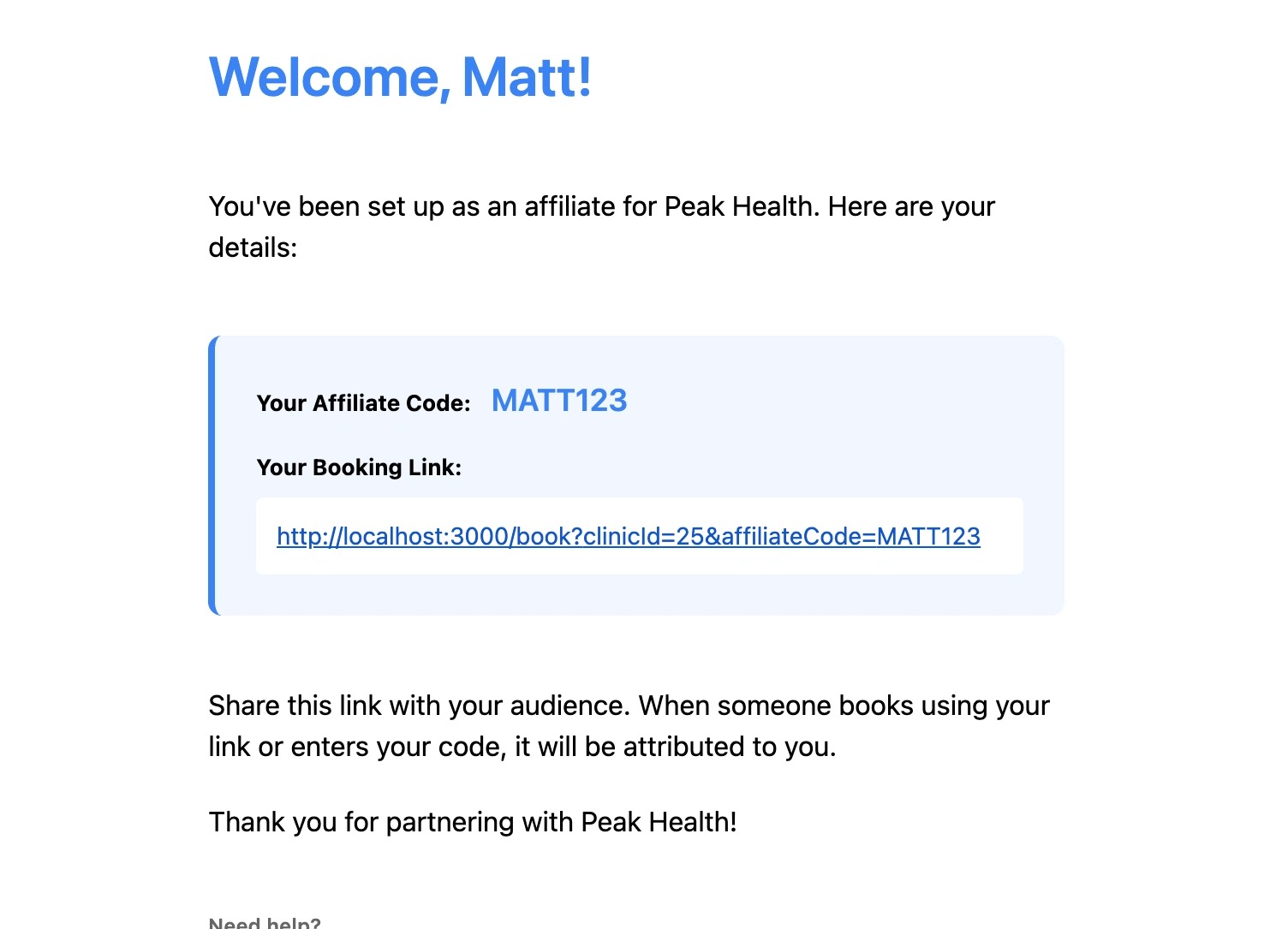 Affiliate Welcome Email
Step 2: Share the Link and Code
The affiliate's job is simple: share their unique booking link and/or code as widely as possible — social media posts, bio links, stories, newsletters, etc. The link is pre-loaded with their affiliate code, so attribution is automatic when a patient books through it.
If your clinic website has the EMRG booking widget installed, you can take this a step further — affiliates can link directly to your site, and the widget will slide open automatically with their code already applied. See How to Put Your Booking Widget on Your Website for setup instructions.
Or, if you want to build a dedicated landing page on your site for a specific affiliate, we support that too — see Option A in that article.
Patients have three ways to apply an affiliate code:
- Follow the affiliate's unique link — attribution is applied automatically when they land on the booking page
- Enter the code manually at the time of booking — patients can type in the code during the checkout/booking flow
- Mention it to their provider during consultation — the provider can apply the code on the patient's behalf
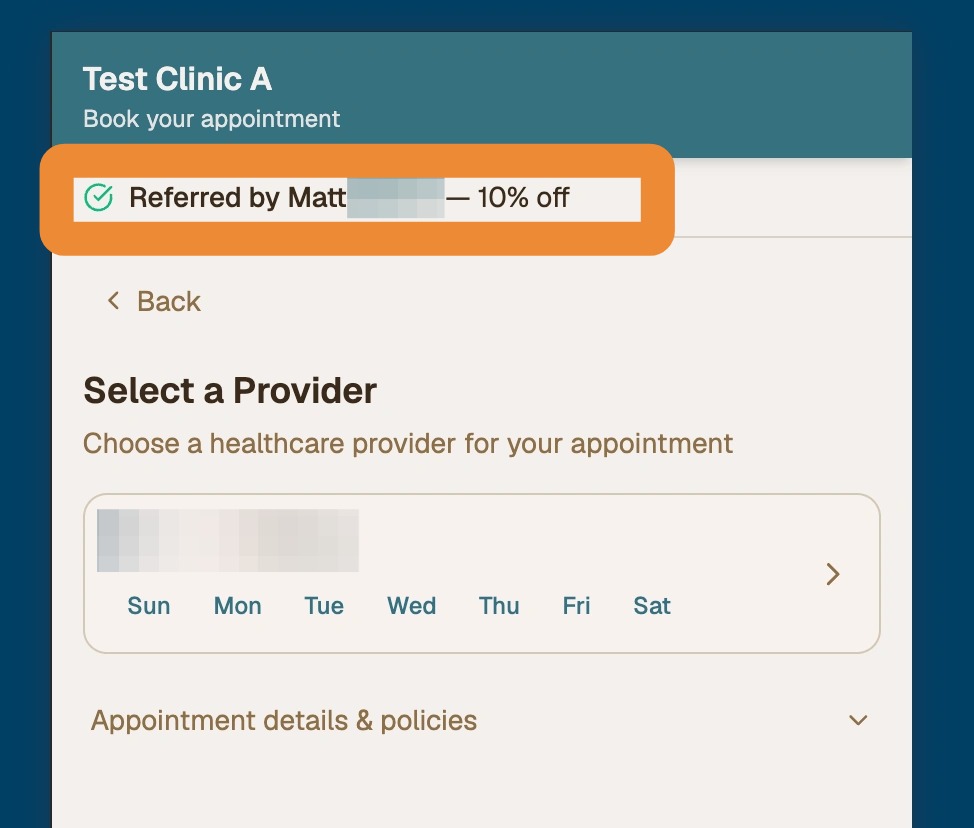 Affiliate Code Application
Step 3: Track Performance in the Affiliate Leaderboard
All affiliate activity is tracked in real time inside your Clinic Brand Analytics page. Navigate to the Affiliate Leaderboard tab to see a ranked view of all your affiliates, including:
- Number of patients attributed to each affiliate
- Total gross revenue generated
- Average revenue per patient
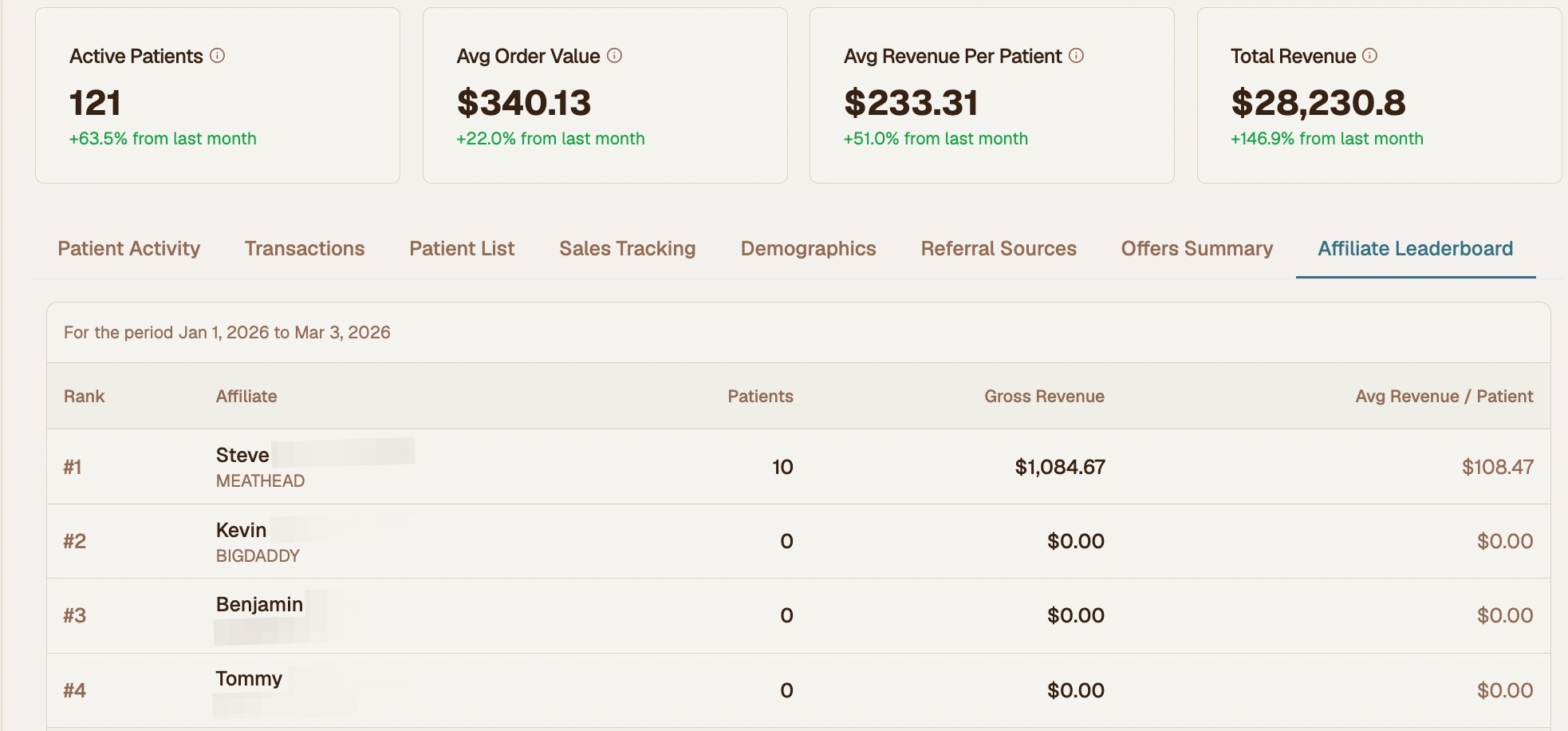 Affiliate Leaderboard
Bonus: Additional Reporting Views
Beyond the leaderboard, you can dig deeper into affiliate performance using two other tabs in your analytics dashboard.
Referral Sources breaks down all patient acquisition channels, showing you how affiliate traffic compares to Google, direct, and other sources.
Offers Summary shows the discount and net revenue impact of each affiliate offer used, so you can understand the true cost of your affiliate program.
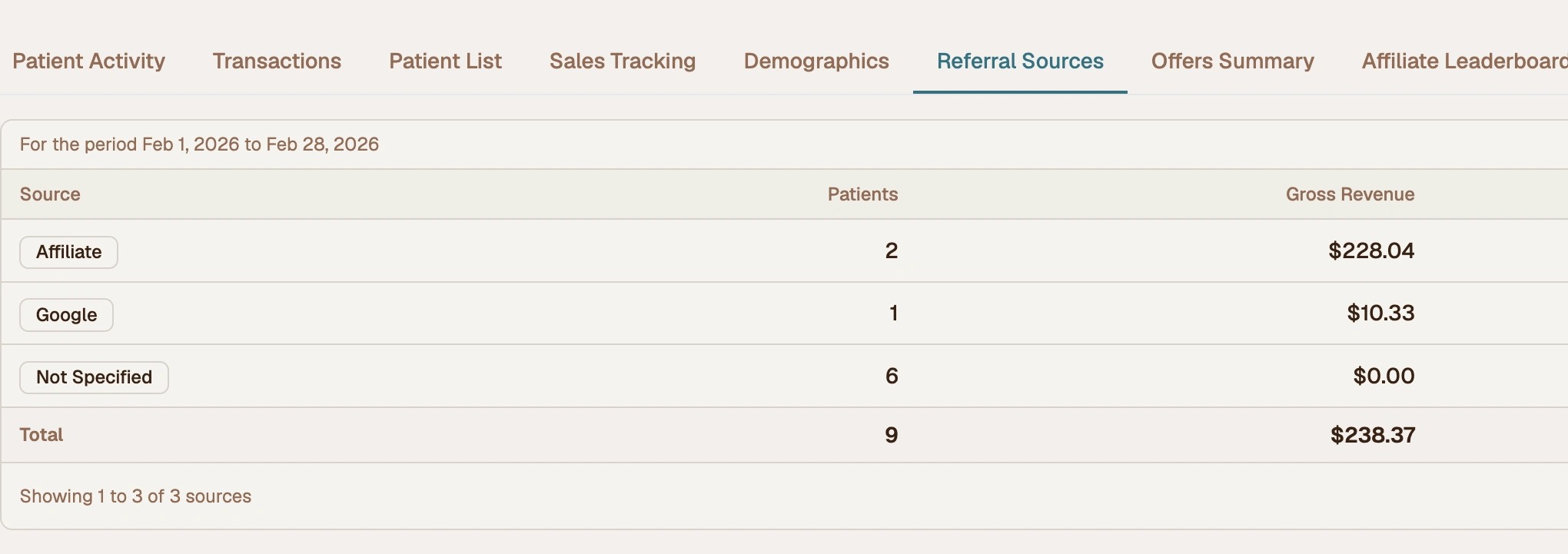 Additional Reporting Views
How Revenue Tracking Works
One of the most powerful aspects of the EMRG Affiliate Program is that revenue is tracked in perpetuity. If a patient signs up using code AFFILIATE_CODE_HERE and places an order every month for a year, all 12 orders are attributed to that affiliate in your reporting — not just the first one.
This gives Clinic Brands full flexibility in how they structure affiliate compensation:
- Pay per new patient acquired
- Pay a percentage of total revenue generated
- Pay only on first orders
- Any other arrangement that fits your business model
EMRG surfaces the data — how you use it to compensate your affiliates is entirely up to you.
Support
For additional help with the affiliate program or analytics:
- Email: support@joinemrg.com
- Contact your EMRG Success Specialist
- Check our knowledge base for additional articles
The EMRG team is here to help you maximize your affiliate program's performance.